01
Too many cards
See every balance, limit, due date, and status in one organized view.
IntelliCard turns your balances, due dates, utilization, and interest risk into a clear next move, without asking for your bank login.
No bank login. No Plaid or Flinks. Your card data stays under your control.
Multiple cards create multiple balances, dates, limits, and decisions. IntelliCard brings the details together and turns them into a calmer daily routine.
See every balance, limit, due date, and status in one organized view.
Get one clear recommendation for the next purchase, with a reason you can understand.
See which card deserves attention first when your payment budget is limited.
Understand how each balance compares with its limit before important dates.
Make the estimated cost of carrying balances easier to see and prioritize.
You stay in control of the information. IntelliCard helps turn it into practical guidance.
Enter the essentials yourself or import a supported PDF statement. Review every detail before saving.
IntelliCard considers the details that can change the right next move.
Open the app and get a simple plan instead of another dashboard to decode.
From the daily recommendation to payment planning, each screen is designed to answer a real card-management question.
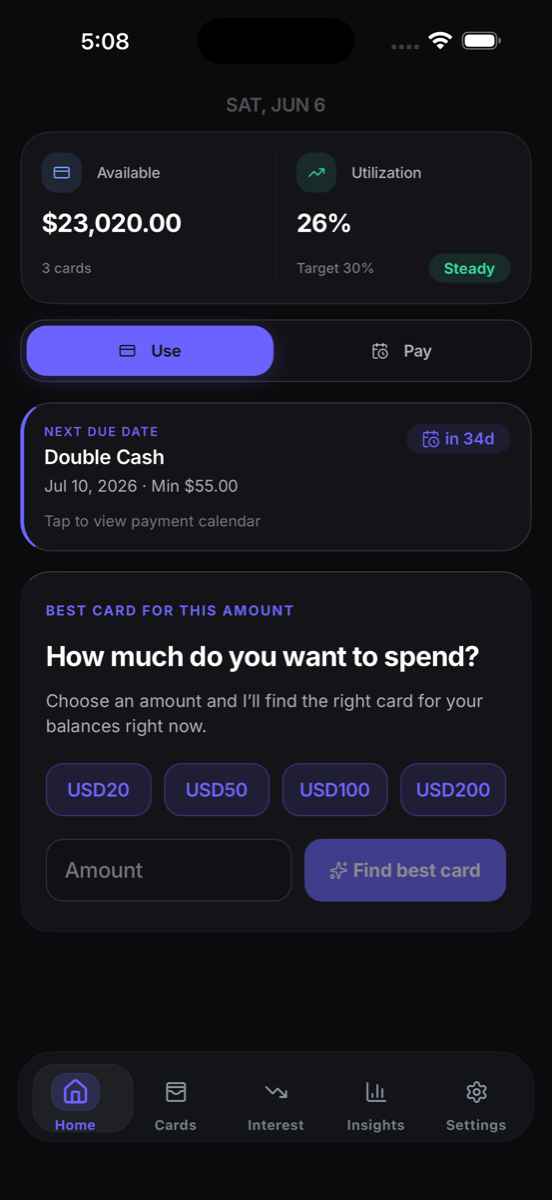
Home dashboard
See the best move, upcoming dates, and cards needing attention.
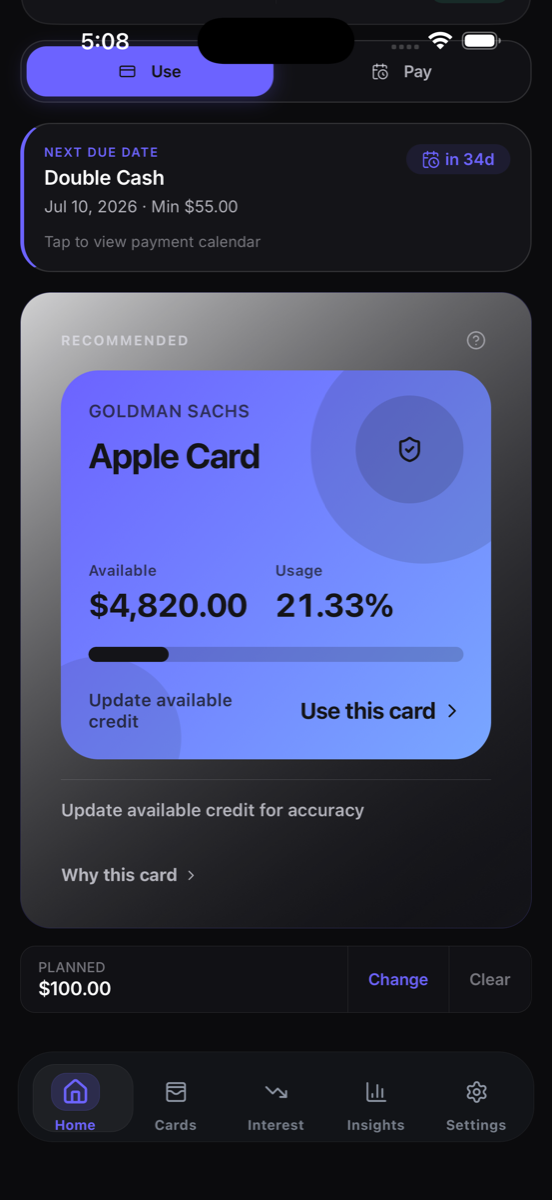 Recommendation
Get a clear recommendation with a plain-language reason.
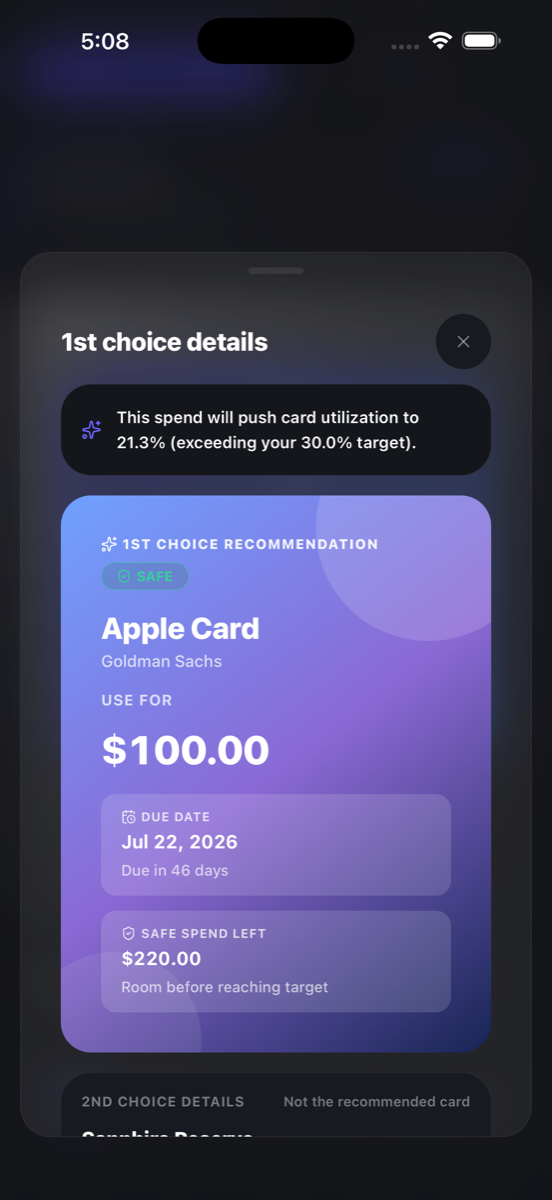 Recommendation details
Review utilization impact, due timing, and safe spending room before acting.
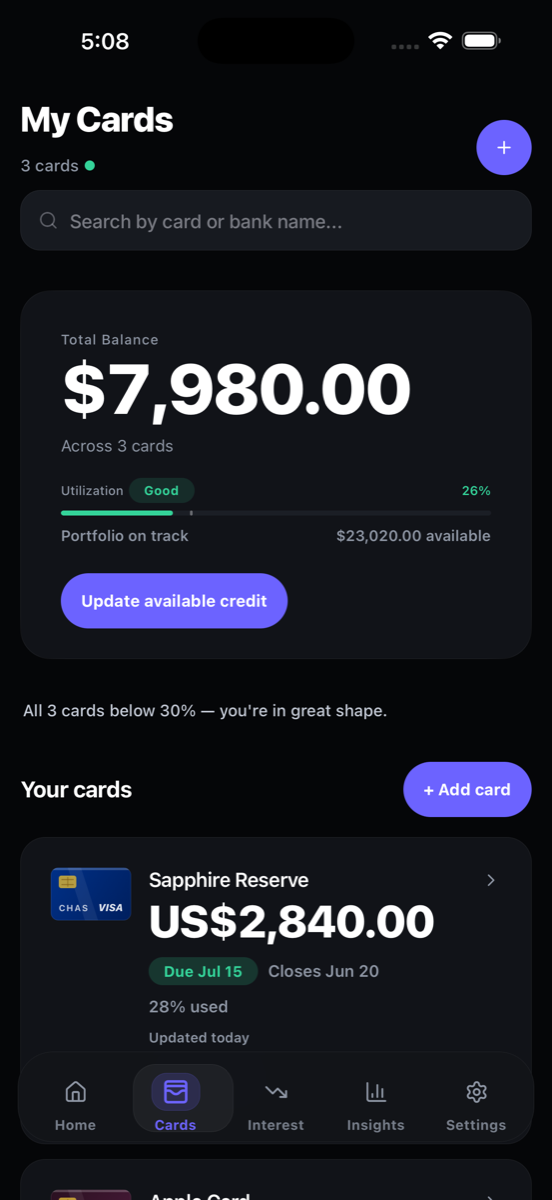 Card portfolio
Keep balances, due dates, statement dates, and utilization together.
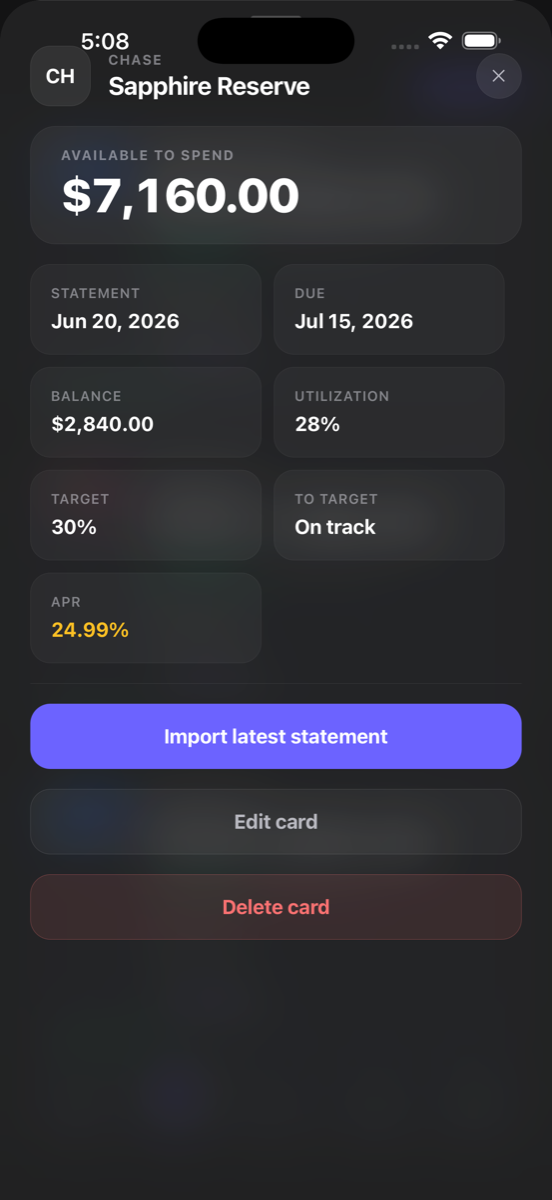 Card details and import
Review dates, balances, utilization, and APR or import the latest supported statement.
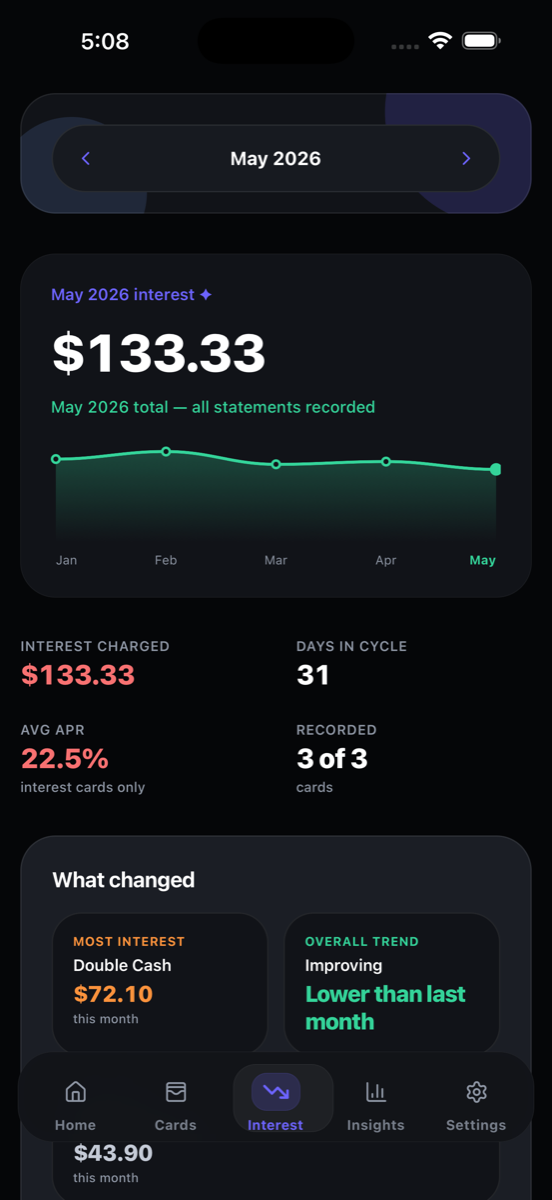 Interest trend
Track confirmed interest over time and see whether the trend is improving.
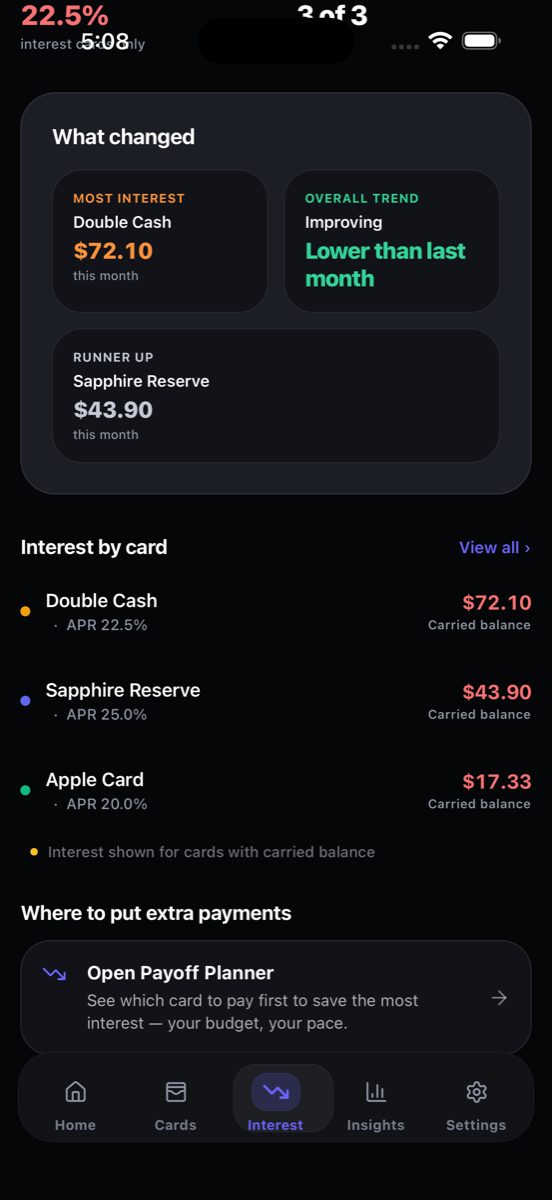 Interest priorities
Compare carried-balance interest and open the payoff planner from one view.
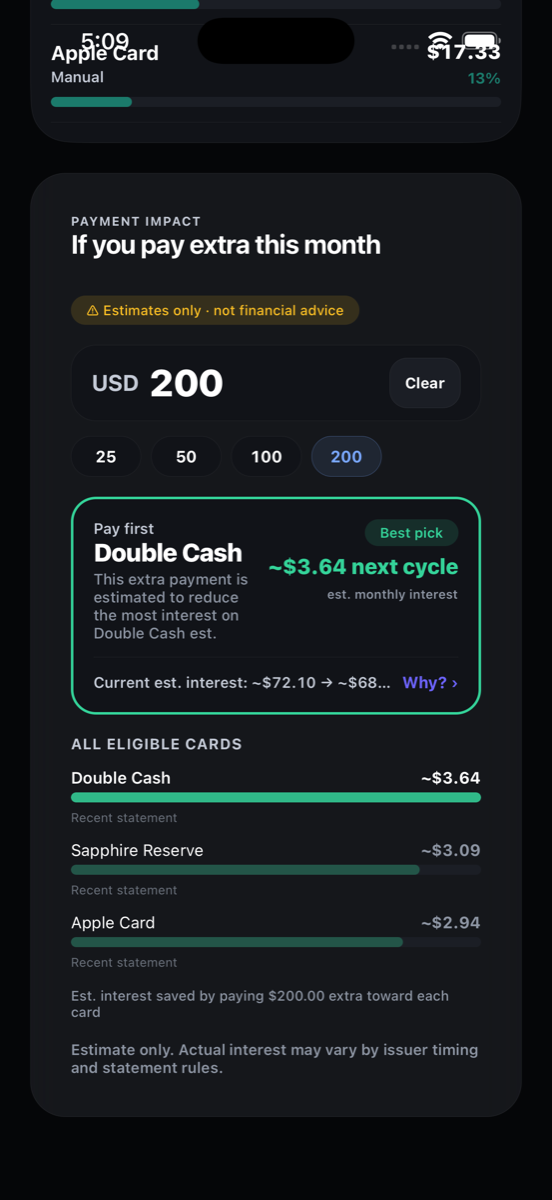 Payment impact
Compare eligible cards and understand the estimated next-cycle impact.
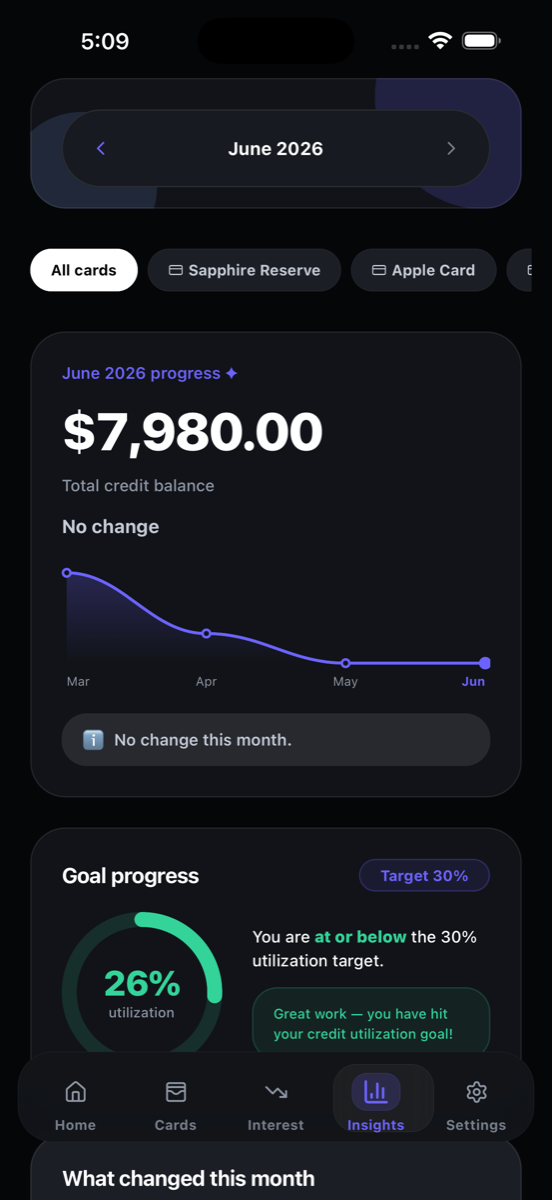 Utilization insights
See portfolio balance movement and whether utilization is at or below your chosen target.
Real IntelliCard product screens shown with sample demonstration data.
IntelliCard helps make the information you already have easier to act on.
Open IntelliCard and see the card or payment that deserves your attention today.
Understand which carried balances may be costing you most.
See where balances sit relative to limits before key dates.
Bring dates, balances, limits, APR, and payment status into one calm view.
Replace scattered notes and mental math with a repeatable routine.
Focused features help you make the next decision, keep details fresh, and understand the tradeoffs.
See which active card is the clearest fit for your next purchase.
Turn a payment budget into a focused order of action across your cards.
Understand how balances compare with limits and what a payment may change.
See estimated carrying pressure and identify balances worth reviewing first.
Keep statement dates, due dates, and stale balance updates on your radar.
Bring in supported text-based PDF details and confirm them before saving.
The right choice can change as balances and dates change. IntelliCard considers the details that matter, then explains the recommendation in plain language.
Get useful guidance without handing a third party the keys to your financial accounts. Add only the details you choose. Optional encrypted iCloud backup stays off until you enable it.
Read the plain-language privacy policy →IntelliCard is purpose-built for card decisions, without requiring access to your financial accounts.
| Capability | IntelliCard | Spreadsheet | Budget apps | Traditional finance apps |
|---|---|---|---|---|
| Which card to use | Yes | Manual | Rarely | Varies |
| Which card to pay first | Yes | Manual | Varies | Varies |
| Utilization guidance | Yes | Build it yourself | Limited | Varies |
| Due-date management | Yes | Manual | Often | Often |
| Interest visibility | Yes | Build it yourself | Varies | Varies |
| No bank login required | Yes | Yes | Not always | Not always |
| Core offline support | Yes | Yes | Limited | Limited |
Build the daily habit first, then unlock more planning across your full card picture.
The essentials for clearer day-to-day card decisions.
Advanced tools for people managing a more complicated card picture.
Feature availability and App Store pricing may vary by region and release version.
Verified App Store feedback will be added after launch. Until then, IntelliCard earns trust through transparent product previews, clear limitations, and a privacy policy you can actually read.
Show the verified rating, review count, country, and short excerpts only when real customers have published them.
Share product feedback →Know what to use, what to pay, and what needs attention, without linking your bank.